How to Create a Happy Birthday Song in 4 Free & Easy Ways
Learning how to create a happy birthday song is easier than ever thanks to AI. Instead of sending the same old “Happy Birthday” message, you can now create a personalized song that feels thoughtful, fun, and memorable. AI song generators allow anyone to turn a few details like a name, age, or personality into a complete birthday song in minutes. No music skills are needed. In this guide, you’ll learn top 4 ways to make birthday songs.
Part 1. Why Create a Custom Happy Birthday Song?
A custom happy birthday song feels personal in a way store-bought cards and generic messages don’t. It shows effort, even if AI does most of the work for you.
Here’s why people are choosing personalized birthday songs:
- Stronger emotional impact
Hearing their own name and details in a song instantly makes the birthday person feel special and appreciated. - Perfect for any relationship
Custom birthday songs work for partners, friends, kids, parents, coworkers, and even clients. - Unique and memorable
Most people forget standard birthday wishes. A custom song stands out and is often replayed or shared. - Fast and affordable
AI tools remove the need for songwriting or recording skills. You can create a full song in just a few minutes. - Easy to share
Birthday songs can be sent through WhatsApp, email, social media, or played at parties and virtual celebrations.
Creating a happy birthday song with AI combines creativity and convenience, making it one of the best modern birthday gift ideas.
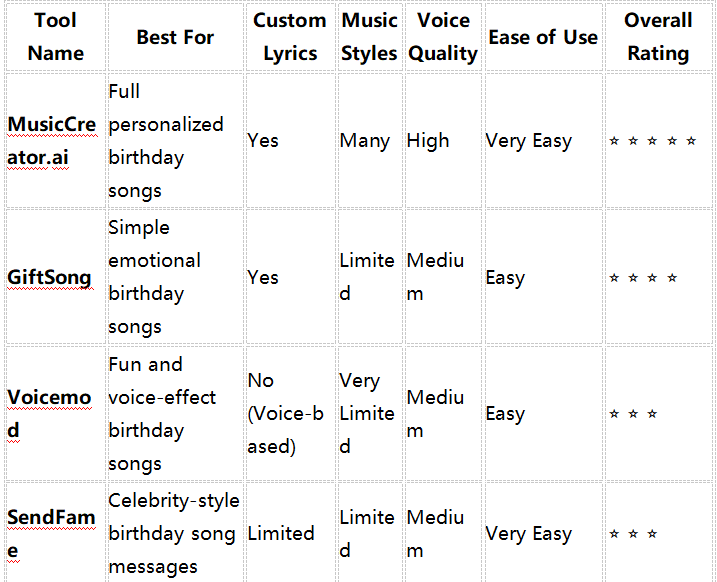
Part 2. How to Create a Happy Birthday Song with Top 4 Ways
1. MusicCreator.ai
If you’re looking for the easiest and most reliable way to create a happy birthday song, MusicCreator.ai is a great place to start. It’s designed for people with no music background, yet it produces polished, professional-sounding birthday songs. With just a few details, you can generate a custom song with lyrics that includes names, personal messages, and the right mood for the occasion.
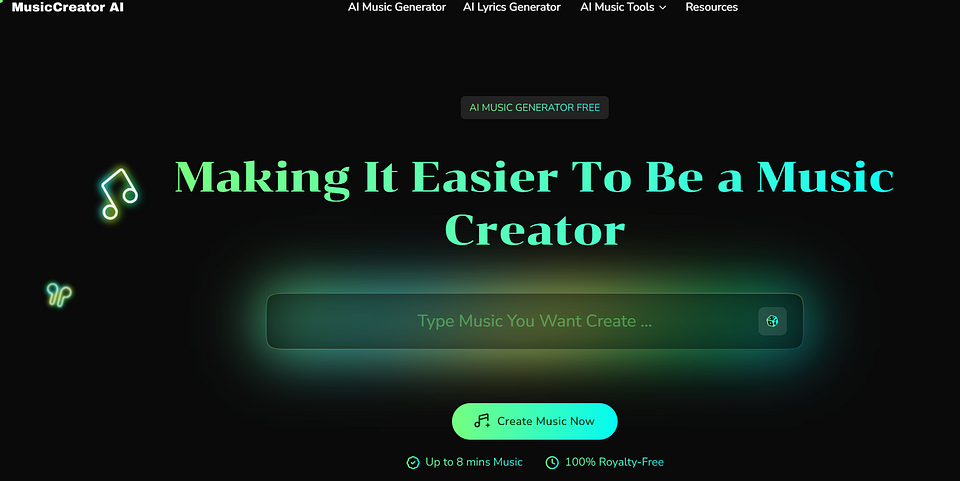
Important Features of MusicCreator.ai
MusicCreator.ai stands out because it focuses on both simplicity and quality. Here are the features that matter most when creating a happy birthday song:
- Birthday song templates
Ready-made templates help you get started quickly without writing from scratch. - Custom lyrics
You can add the birthday person’s name, age, personality traits, or inside jokes. - Multiple music styles
Choose from pop, acoustic, romantic, upbeat, kids-style, and more. - AI vocals and melodies
The generated songs sound natural and well-balanced, not robotic. - Quick generation time
Most birthday songs are ready in just a few minutes. - Easy export and sharing
Download the song or share it directly through messaging apps or social media.
Step-by-Step Guide: How to Create a Happy Birthday Song with MusicCreator.ai
- Open MusicCreator.ai: Visit the platform and create your account to start your music creation.
- Generate the Lyrics of a birthday song: Select Create a Happy Birthday Song. Enter the name of your birthday song. Then click Generate Your Birthday Song Now. Then MusicCreator.ai will generate the lyrics automatically.
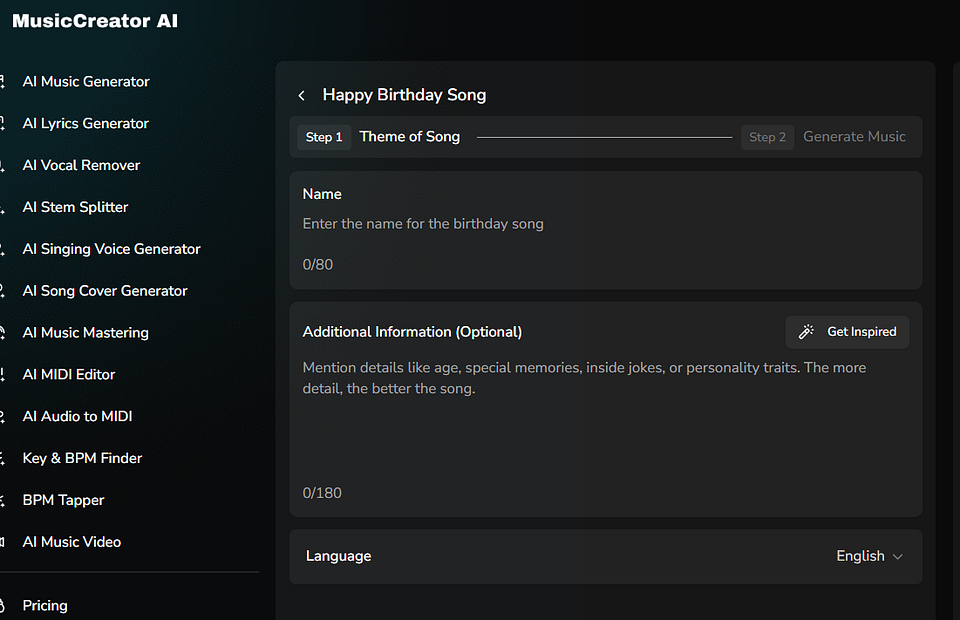
3. Customize your birthday song
Select a style that fits the person. For example, upbeat pop for friends or soft acoustic for family. And also select the Mood, Instrucment, Vocal Gender, etc.
4. Generate the song
Click Generate Music button and wait while the AI creates the music and vocals. Listen to the song, make small changes if needed, and save the final version.
Why it stands out:
- Built-in birthday song templates
- Easy lyric customization with names and personal details
- Multiple music styles and moods
- High-quality AI vocals and melodies
- Ideal for beginners and non-musicians
To make your happy birthday song sound even better, keep these tips in mind:
- Be specific with details
Adding hobbies, nicknames, or personality traits helps the AI create more meaningful lyrics. - Match the style to the person
A playful song works great for kids, while a calm or romantic style suits partners or parents. - Keep it simple
Short and clear lyrics usually sound better than long, complicated messages. - Preview before sharing
Always listen to the full song to ensure names and words sound correct. - Don’t over-edit
Small tweaks are helpful, but too many changes can affect the natural flow of the song.
Using MusicCreator.ai makes it easy to create a happy birthday song that feels thoughtful, creative, and personal without spending hours writing or recording music.
2. GiftSong
GiftSong is designed specifically for musical gifts. It’s a good choice if you want a simple, emotional happy birthday song without spending much time on customization. The platform focuses more on lyrics and sentiment than advanced music production.
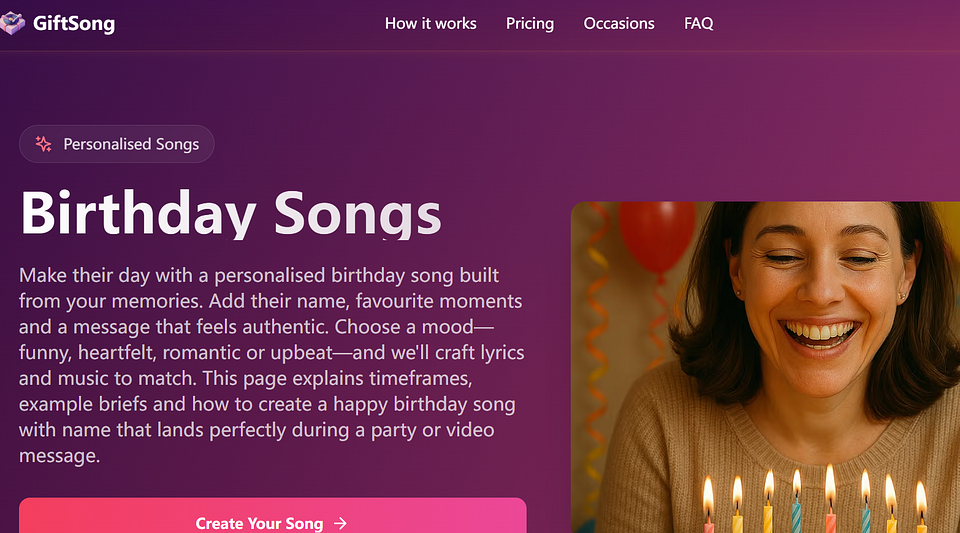
How to Create a Happy Birthday Song with GiftSong
- Open the GiftSong platform and choose a birthday song option.
- Enter the name of the birthday person and a short message.
- Select a general mood, such as happy or emotional.
- Let the AI generate the birthday song.
- Preview and share or download the final song.
Pros
- Very easy to use
- Good for heartfelt birthday messages
- Fast song generation
Cons
- Limited music styles
- Less control over vocals and melody
- Not ideal for highly personalized songs
3. Voicemod
Voicemod is a voice-based tool that works best for fun and playful birthday songs. Instead of generating full music tracks, it lets you record your own voice and apply effects to create a unique birthday greeting.
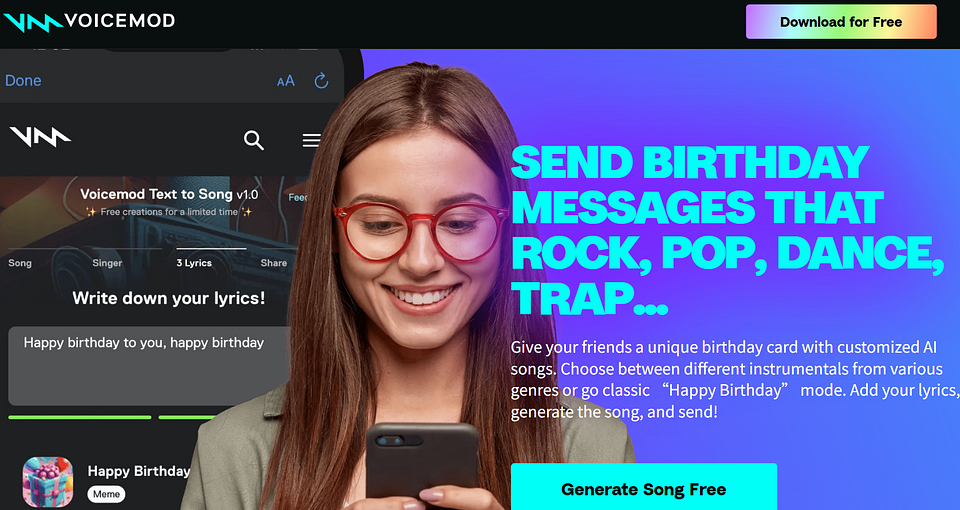
How to Create a Happy Birthday Song with Voicemod
- Install and open Voicemod on your device.
- Choose a voice effect or character voice.
- Record yourself singing or speaking a happy birthday message.
- Add sound effects or background music if available.
- Save and share the audio file.
Pros
- Fun and creative voice effects
- Great for jokes and casual birthday wishes
- Works well for gamers and streamers
Cons
- Requires you to record your own voice
- No automatic lyric or melody generation
- Not suitable for professional-sounding songs
4. SendFame
SendFame focuses on celebrity-style birthday messages and songs. It’s a popular option if you want to surprise someone with a short birthday song that sounds like it’s coming from a famous person.
How to Create a Happy Birthday Song with SendFame
- Open SendFame and choose a birthday song or message format.
- Select a celebrity-style voice or theme.
- Enter the birthday person’s name and short message.
- Generate the birthday song.
- Preview and send it directly or download it.
Pros
- Fun celebrity-style experience
- Very easy and quick to use
- Great for social media sharing
Cons
- Limited customization
- Short song length
- Not designed for full custom songwriting
Part 3. FAQs about Creating a Happy Birthday Song with AI
Q1. Can I create a happy birthday song for free?
Yes, many AI song generators offer free trials or limited free versions. These usually allow you to create a basic happy birthday song, though downloads, advanced customization, or higher-quality audio may require an upgrade.
Q2. Are AI-generated birthday songs copyright-safe?
In most cases, AI-generated birthday songs are safe for personal use, such as sending to friends or family. However, if you plan to use the song for commercial purposes, it’s best to review the tool’s licensing terms to be sure.
Q3. How long does it take to create a happy birthday song with AI?
Most AI tools can generate a birthday song in just a few minutes. From entering details to downloading the final song, the entire process is usually very fast.
Q4. Can I customize the lyrics and music style?
Yes, most AI birthday song tools allow lyric customization and style selection. Tools like MusicCreator.ai offer the most flexibility, letting you adjust lyrics, mood, and music genre.
Q5. Do I need music or singing skills to create a birthday song?
No. AI tools are designed for beginners. You don’t need to write music, sing, or use any recording equipment to create a happy birthday song.
Q6. Can I share the birthday song on social media or messaging apps?
Yes, AI-generated birthday songs can be easily shared through WhatsApp, email, social media platforms, or played during parties and virtual celebrations.
Final Thoughts
Creating a happy birthday song no longer requires musical talent or expensive production. With AI song generators, anyone can make a personalized birthday song that feels thoughtful and unique.
Among the available options, MusicCreator.ai stands out as the best overall tool thanks to its high-quality output, flexible customization, and beginner-friendly design. GiftSong, Voicemod, and SendFame also work well for specific needs, whether you want something emotional, funny, or celebrity-inspired.
Use MusicCreator.AI to Create a Happy Birthday Song for Free
You May Also Like:
Top 4 Free AI Rap Generators to Create Rap Songs Quickly
How to Create a Song with Lyrics Easily by Top 5 AI Song Generators
Top 8 AI Song Cover Generators


Comments
Post a Comment